

Refund of ITC on Exports of Goods/Services – Without Payment of Tax (Accumulated ITC)
Edition: September 2025
Disclaimer: This manual is for compliance facilitation. It does not substitute statutory provisions, notifications, or circulars. Taxpayers must verify with the CGST/SGST Acts, Rules, and GSTN updates.
✍️ Preface
Exporters supplying goods or services without payment of IGST under LUT/Bond are eligible to claim refund of the accumulated Input Tax Credit (ITC). Such refunds are filed in Form GST RFD-01. This report explains the law basis, portal filing process, FAQs, and compliance checklist.
⚖️ 1. Law Basis
-
Section 16, IGST Act, 2017 – Zero-rated supplies.
-
Section 54, CGST Act, 2017 – Refund of tax.
-
Rule 89(4), CGST Rules, 2017 – Refund of ITC for zero-rated supplies without payment of IGST.
🛠️ 2. Step-by-Step Process – Filing Refund Application (RFD-01)
-
Login at www.gst.gov.in → Services > Refunds > Application for Refund.
-
Select refund type: Exports of Goods/Services – without Payment of Tax (accumulated ITC).
-
Select Tax Period → Click CREATE REFUND APPLICATION.
-
If NIL refund → Select “Yes” → Declaration → File with DSC/EVC.
-
For refund claim:
-
Download Offline Utility → Fill Statement 3 with invoice/shipping bill/FIRC/BRC details.
-
Upload JSON file on GST Portal.
-
Validate & Calculate → Errors (if any) corrected via Invalid Document download/re-upload.
-
System auto-computes refund eligibility in Statement 3A.
-
-
Enter bank account details → Upload supporting documents (max 10 files, ≤ 5 MB each).
-
Provide RFD-11 LUT Reference No. if applicable.
-
Preview refund application (PDF).
-
Submit → File with DSC/EVC.
-
ARN generated → Acknowledgement sent via SMS/Email.
-
Debit entry created in Electronic Credit Ledger (ECL).
📌 3. Key Features
-
Refund can be filed for multiple tax periods (even across FYs) in one application.
-
NIL refund also allowed for one/multiple periods.
-
Statement 3 mandatory → validated with GSTR-1 data.
-
Amendments possible via re-upload of Statement 3.
-
Saved applications retained for 15 days.
-
Validations applied: Refund ≤ Balance in ECL and ≤ Maximum Refund in Statement 3A.
-
Supporting documents: invoices, shipping bills, FIRCs/BRCs, LUT copy.
❓ 4. FAQs (with Basis)
Q1. How to claim refund of ITC on exports without IGST?
File RFD-01 with Statement 3 (invoices, shipping bill, BRC/FIRC).
Q2. Can multiple periods be combined?
Yes, across same or different FYs.
Q3. Is NIL refund filing possible?
Yes, NIL refunds can be filed for one/more periods.
Q4. Is uploading Statement 3 mandatory?
Yes, validated with GSTR-1 data.
Q5. What documents required?
Invoices, Shipping Bills, BRC/FIRC (for services), LUT reference.
Q6. What if refund not processed?
ARN generated → Application assigned to Refund Officer → Track via Track Application Status.
✅ 5. Compliance Checklist
| Step | Particulars | Status (✔) |
|---|---|---|
| 1 | Login → Refund Application → Select Export (Without IGST) | ⬜ |
| 2 | Select Tax Period → Create Refund Application | ⬜ |
| 3 | Download & fill Statement 3 → Upload JSON | ⬜ |
| 4 | Validate statement → Correct errors (if any) | ⬜ |
| 5 | Enter bank account + LUT details | ⬜ |
| 6 | Upload supporting docs | ⬜ |
| 7 | Preview & File with DSC/EVC | ⬜ |
| 8 | ARN generated → Check SMS/Email | ⬜ |
| 9 | Track refund status via GST Portal | ⬜ |

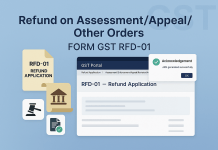

 with FAQs and checklist.)