


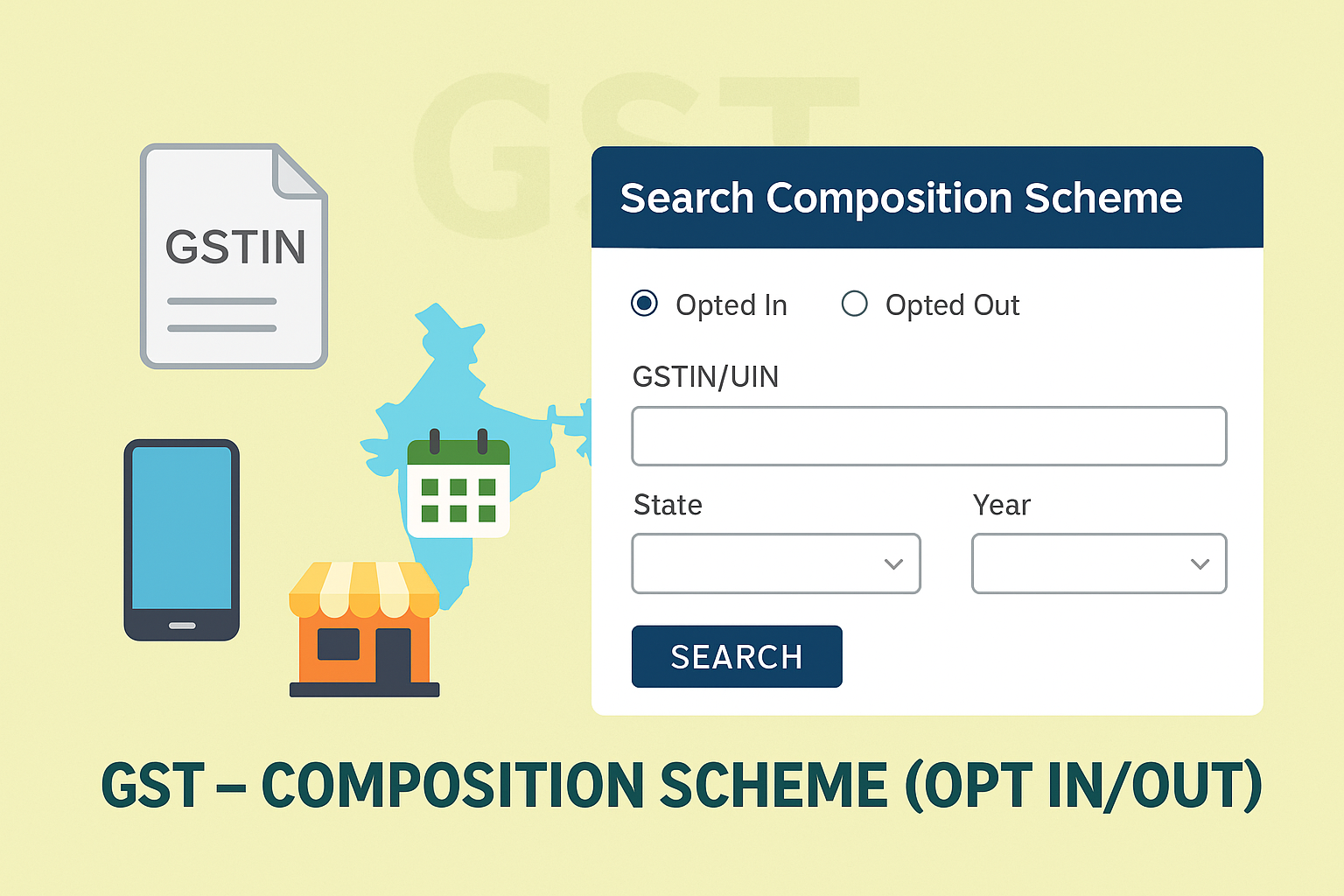
Search Taxpayers Opted In/Out of Composition Scheme
Edition: September 2025
Disclaimer: This manual is for compliance facilitation. It does not substitute statutory provisions, notifications, or circulars. Taxpayers must verify with the CGST/SGST Acts, Rules, and GSTN updates.
✍️ Preface
The Composition Scheme under GST allows small taxpayers to pay tax at a lower rate and with lesser compliance. To ensure transparency, the GST Portal provides a facility to search taxpayers who have opted in or out of the Composition Scheme, enabling suppliers, buyers, and authorities to confirm the tax status of a business.
This manual consolidates the law basis, pre-login and post-login search process, FAQs with statutory basis, and a compliance checklist.
📑 Table of Contents
-
Law Basis for Composition Scheme
-
What Can Be Searched?
-
Step-by-Step Process
-
Search Options (GSTIN/UIN or State)
-
FAQs (with Basis)
-
Compliance Checklist (Fillable Format)
⚖️ 1. Law Basis for Composition Scheme
-
Section 10, CGST Act, 2017 – Composition Levy.
-
Rule 5–7, CGST Rules, 2017 – Conditions and restrictions for opting in or out of composition.
-
GSTN Guidelines – Provide taxpayer search facility to verify composition status.
📌 2. What Can Be Searched?
-
List of taxpayers who opted in to the Composition Scheme.
-
List of taxpayers who opted out of the Composition Scheme.
-
Search by GSTIN/UIN or State + Financial Year + Legal Name.
🛠️ 3. Step-by-Step Process
Pre-Login Search:
-
Go to www.gst.gov.in.
-
Click Services > Acts & Rules > Rules > Search Taxpayer Opted In/Out of Composition.
-
Select whether to view taxpayers opted in or opted out.
-
Choose one of the following search options:
-
GSTIN/UIN → Enter GSTIN/UIN → Captcha → SEARCH.
-
State-wise → Select State, Financial Year, and Legal Name → Captcha → SEARCH.
-
-
Results displayed as per criteria.
Post-Login Search:
-
Login with valid credentials.
-
Navigate: Services > User Services > Search Taxpayer Opted In/Out of Composition.
-
Enter GSTIN/UIN or State + Year + Legal Name.
-
Click SEARCH → Results displayed.
📌 4. Search Options
-
GSTIN/UIN Search: Shows details of an individual taxpayer’s composition status.
-
State + Financial Year Search: Shows all taxpayers in that State for a given year who opted in/out.
❓ 5. FAQs (with Basis)
Q1. Can I find if my supplier is under the Composition Scheme?
Yes, by entering GSTIN in the search option. (FAQ 1)
Q2. Will inactive taxpayers appear in search results?
No, only active taxpayers are shown. (FAQ 1 – Note)
✅ 6. Compliance Checklist (Fillable Format)
| Step | Particulars | Status (✔) |
|---|---|---|
| 1 | Open GST Portal > Search Taxpayer Opted In/Out of Composition | ⬜ |
| 2 | Select search type: Opted In or Opted Out | ⬜ |
| 3 | Enter GSTIN/UIN or State + Year + Legal Name | ⬜ |
| 4 | Enter Captcha & click SEARCH | ⬜ |
| 5 | View taxpayer composition status | ⬜ |
| 6 | Use results for compliance & vendor verification | ⬜ |

