A. The Law
Relevant Sections – CGST Act, 2017
-
Section 37: Furnishing details of outward supplies by supplier.
-
Section 38 (Pre-amendment): Communication of inward supplies.
-
Section 39: Filing of returns by recipient.
-
Section 168: CBIC empowered to notify formats and system-based forms.
Relevant Rules – CGST Rules, 2017
-
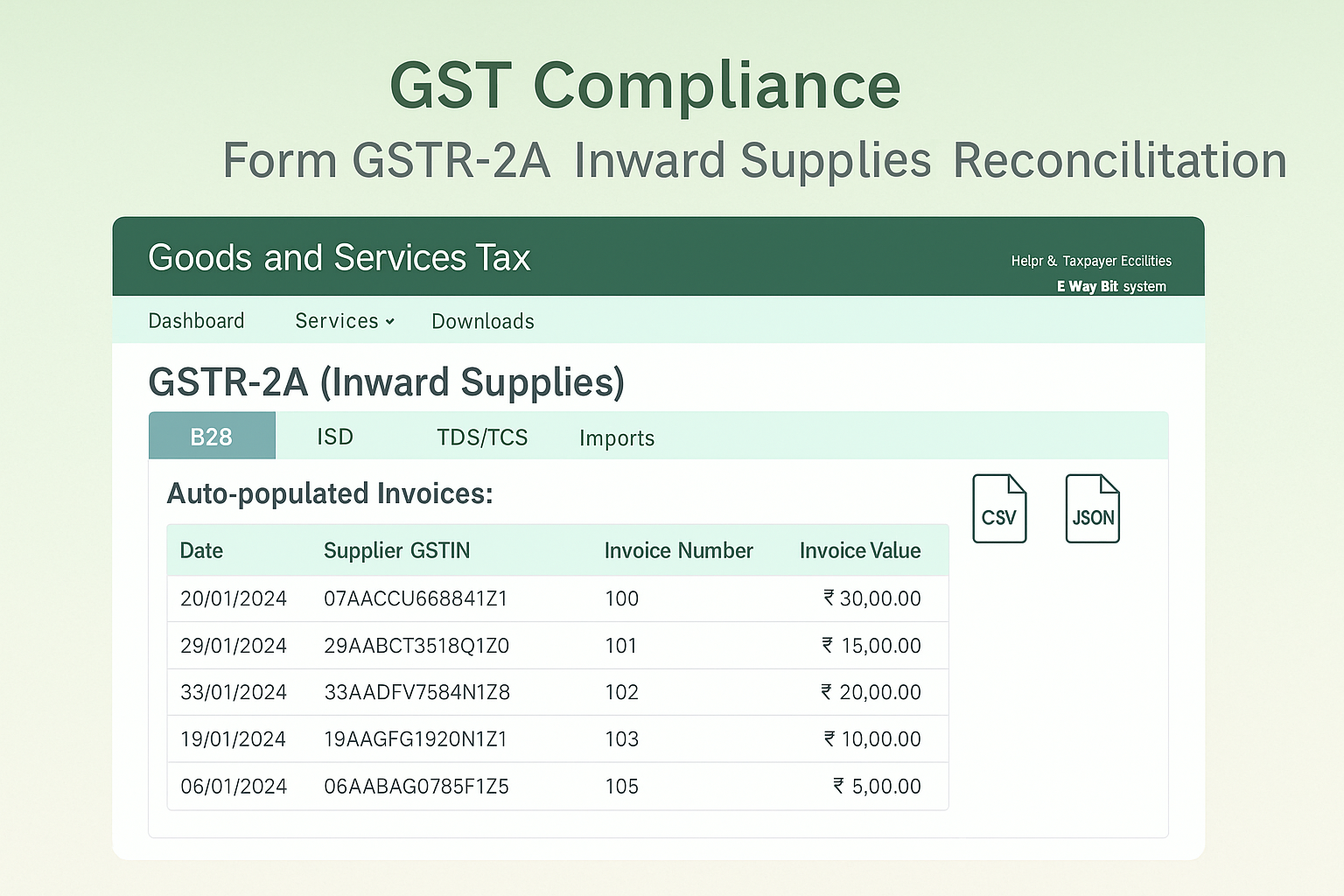
Rule 60: Auto-population of details in GSTR-2A from suppliers’ GSTR-1, ISD credits (GSTR-6), TDS (GSTR-7), TCS (GSTR-8), and imports from ICEGATE.
-
Rule 36(4): ITC availment restricted based on GSTR-2A/2B.
Note: GSTR-2A is a dynamic, read-only statement, auto-populated and not filed by taxpayers.
B. How Do I – Step-wise Process to View & Use GSTR-2A
Step 1: Login
-
Visit gst.gov.in.
-
Login → Services → Returns → Returns Dashboard.
Step 2: Select Period
-
Choose Financial Year & Return Filing Period.
-
GSTR-2A tile appears.
Step 3: View / Download
-
View Online: Click View to see auto-drafted details on GST portal.
-
Download:
-
If invoices ≤ 500 → view/download CSV directly.
-
If > 500 → generate JSON/Excel file → download → open in Offline Tool.
-
Step 4: Sections of GSTR-2A
-
PART A: From GSTR-1/5 of suppliers
-
B2B Invoices
-
Amendments to B2B
-
Credit/Debit Notes
-
Amendments to CDNs
-
ECO Documents (from Oct 2022 onwards)
-
Amendments to ECO Documents
-
-
PART B: ISD credits from GSTR-6.
-
PART C: TDS (GSTR-7), TCS (GSTR-8).
-
PART D: Imports (Bill of Entry – Overseas & SEZ, from ICEGATE).
Step 5: Functional Features
-
Download Documents (CSV) for each table (up to 500 records).
-
Search across columns.
-
Hide/Show Columns option.
-
Amendment History for imports: shows YES hyperlink if amended.
C. FAQs (15 Practical Clarifications & Errors)
-
What is GSTR-2A?
A read-only statement of inward supplies auto-populated from counterparties. -
Do I have to file it?
No, it is for reconciliation and ITC verification only. -
When is it generated?
On saving/filing of supplier’s GSTR-1/5/1A, ISD’s GSTR-6, TDS (GSTR-7), TCS (GSTR-8), and import data from ICEGATE. -
Can I edit it?
No, it is non-editable. -
Can I download it?
Yes, in Excel/JSON; open JSON in Offline Tool. -
What if invoices > 500?
Must be downloaded via JSON/Excel and opened in Offline Tool. -
What details are visible?
Supplier GSTIN, invoice no., date, value, tax breakup, amendments, ISD/TDS/TCS credits, imports. -
What if supplier cancels GSTIN?
Effective date of cancellation shown in amended B2B invoices. -
How are CDNs handled?
Now delinked from original invoices; POS, supply type, RCM fields available. -
Can I see ECO transactions?
Yes, ECO Documents tab available from Oct 2022. -
Can I see amendments to imports?
Yes, amendment column shows YES with hyperlink for history. -
Can I hide columns?
Yes, via Display/Hide Columns. -
Can I search data?
Yes, search works across all columns. -
What is Reference Date for imports?
Date of customs clearance, determines tax period auto-population. -
Is it static?
No, it is dynamic and changes whenever suppliers/counterparties update returns.
D. Fillable Checklist – GSTR-2A Review
| Particulars | Details / Action | ✔ |
|---|---|---|
| GSTIN | ||
| FY & Tax Period | ||
| Invoice Count | ☐ ≤ 500 ☐ > 500 | |
| B2B Invoices Verified? | Yes / No | |
| Amendments Checked? | Yes / No | |
| CDNs Verified? | Yes / No | |
| ISD Credits Cross-checked? | Yes / No | |
| TDS/TCS Credits Verified? | Yes / No | |
| Imports from ICEGATE Verified? | Yes / No | |
| CSV/JSON Downloaded? | Yes / No | |
| Offline Tool Used? | Yes / No | |
| Amendment History Checked? | Yes / No | |
| ITC Reconciliation Done? | Yes / No |