Tracking Refund Status (Post-Login) & Updating Bank Account
Edition: September 2025
Disclaimer: This manual is for compliance facilitation. It does not substitute statutory provisions, notifications, or circulars. Taxpayers must verify with the CGST/SGST Acts, Rules, and GSTN updates.
✍️ Preface
After filing a refund application, taxpayers can track its status on the GST Portal. The portal also provides an option to update bank account details in case validation fails. This ensures timely disbursement of refund amounts. This report explains the law basis, stepwise process, FAQs, and compliance checklist.
⚖️ 1. Law Basis
-
Section 54, CGST Act, 2017 – Refund of tax.
-
Rule 90–97, CGST Rules, 2017 – Refund procedure.
-
GSTN portal functionality for refund status & bank validation.
🛠️ 2. Step-by-Step Process – Tracking Refund Status
-
Login at www.gst.gov.in.
-
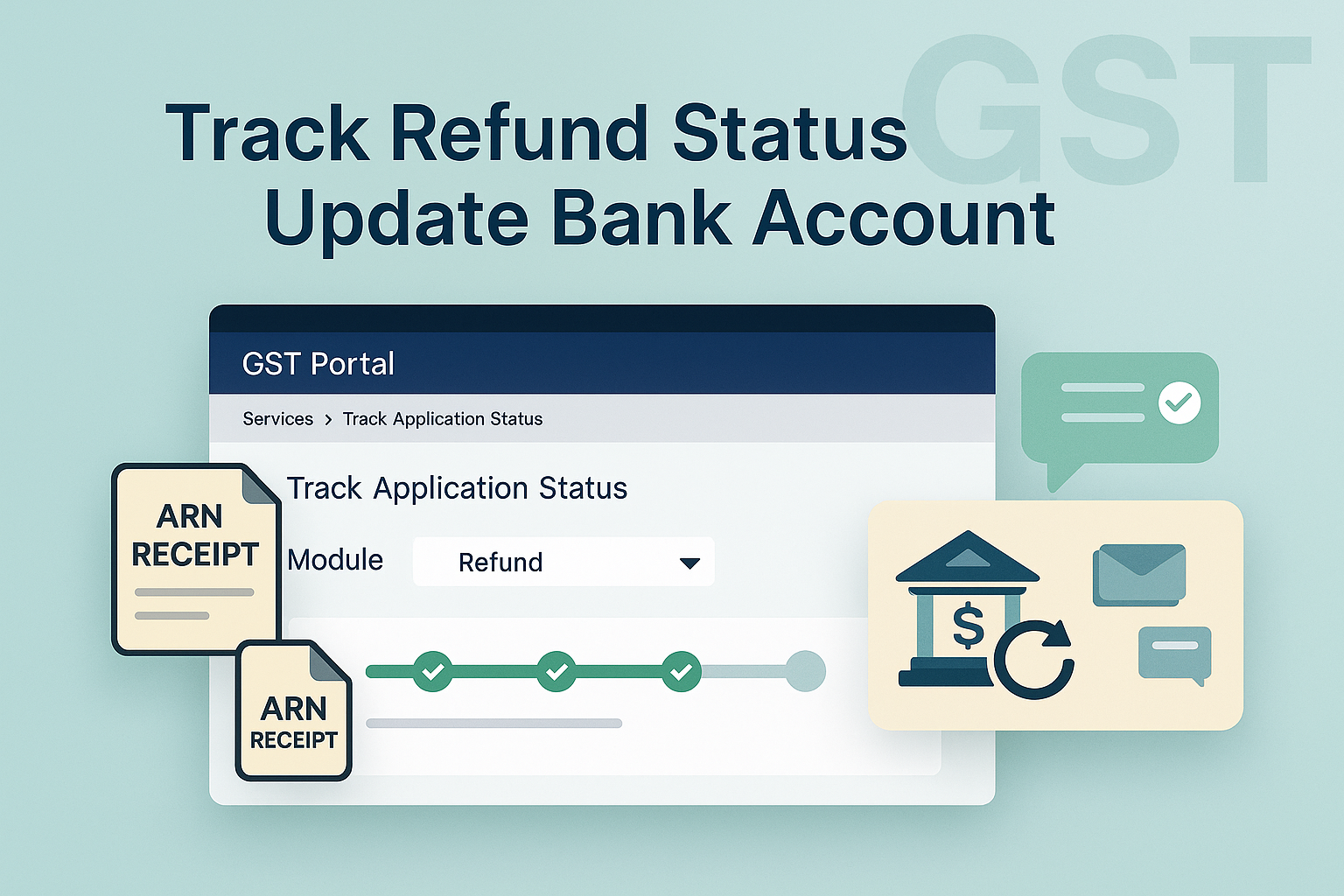
Navigate: Services > Track Application Status.
-
On the Track Application Status page:
-
Select Module = Refund.
-
Choose one option:
-
By Filing Year – Select year → List of ARNs displayed.
-
By ARN – Enter ARN → Detailed status displayed.
-
-
-
Status stages are color-coded:
-
Completed stages = Green.
-
Pending stages = Grey.
-
-
Click ARN hyperlink → Download ARN receipt (PDF).
-
Click Action/Status hyperlink → View refund details.
🛠️ 3. Updating Bank Account (If Validation Fails)
-
On refund case screen, if bank validation fails → UPDATE BANK ACCOUNT option available.
-
Select a different bank account from drop-down OR add a new account via Non-Core Registration Amendment.
-
Click Proceed → Declaration → File with DSC/EVC.
-
Enter OTP received on registered mobile/email → Validate.
-
Success message displayed → Bank details updated & refund linked to new account.
📌 4. Key Features
-
Refund tracking possible by ARN or Filing Year.
-
ARN receipts downloadable for record.
-
Stages clearly visible with color-coded progress.
-
In case of partial sanction, system displays rectification message.
-
SMS/Email sent to taxpayer for bank validation success/failure.
❓ 5. FAQs
Q1. How do I track refund post-login?
By ARN or Filing Year under Services → Track Application Status.
Q2. Can I download ARN receipt?
Yes, via ARN hyperlink (PDF).
Q3. What happens if bank validation fails?
You can update/replace bank account using the UPDATE BANK ACCOUNT option.
Q4. Can new bank account be added directly?
Yes, via Non-Core Registration Amendment → then update in refund case.
Q5. How will I know if validation is successful?
SMS/Email sent upon successful bank validation.
✅ 6. Compliance Checklist
| Step | Particulars | Status (✔) |
|---|---|---|
| 1 | Login → Services → Track Application Status | ⬜ |
| 2 | Track by Filing Year / ARN | ⬜ |
| 3 | Download ARN receipt / View refund details | ⬜ |
| 4 | If bank validation fails → Update bank account | ⬜ |
| 5 | Add new account via Non-Core Amendment if required | ⬜ |
| 6 | File with DSC/EVC + OTP | ⬜ |
| 7 | Track SMS/Email updates for validation success | ⬜ |
| 8 | Ensure refund credited to updated account | ⬜ |