A. The Law
Relevant Sections – CGST Act, 2017
-
Section 39: Furnishing of returns.
-
Section 168: Power of CBIC to issue instructions/procedures.
Relevant Rules – CGST Rules, 2017
-
Rule 61–67: Prescribes various return forms (GSTR-1, 3B, 4, 7, 9, etc.).
-
IMS introduced under system-based compliance to ensure invoice-level ITC validation.
Key Points:
-
Taxpayers can view/download filed returns from the GST portal for any past tax period.
-
IMS allows recipients to accept/reject/keep pending invoices uploaded by suppliers in GSTR-1/IFF, directly affecting their ITC in GSTR-2B.
B. How Do I – Step-wise Compliance Process
1. Viewing Filed Returns
Step 1: Login to GST Portal → gst.gov.in.
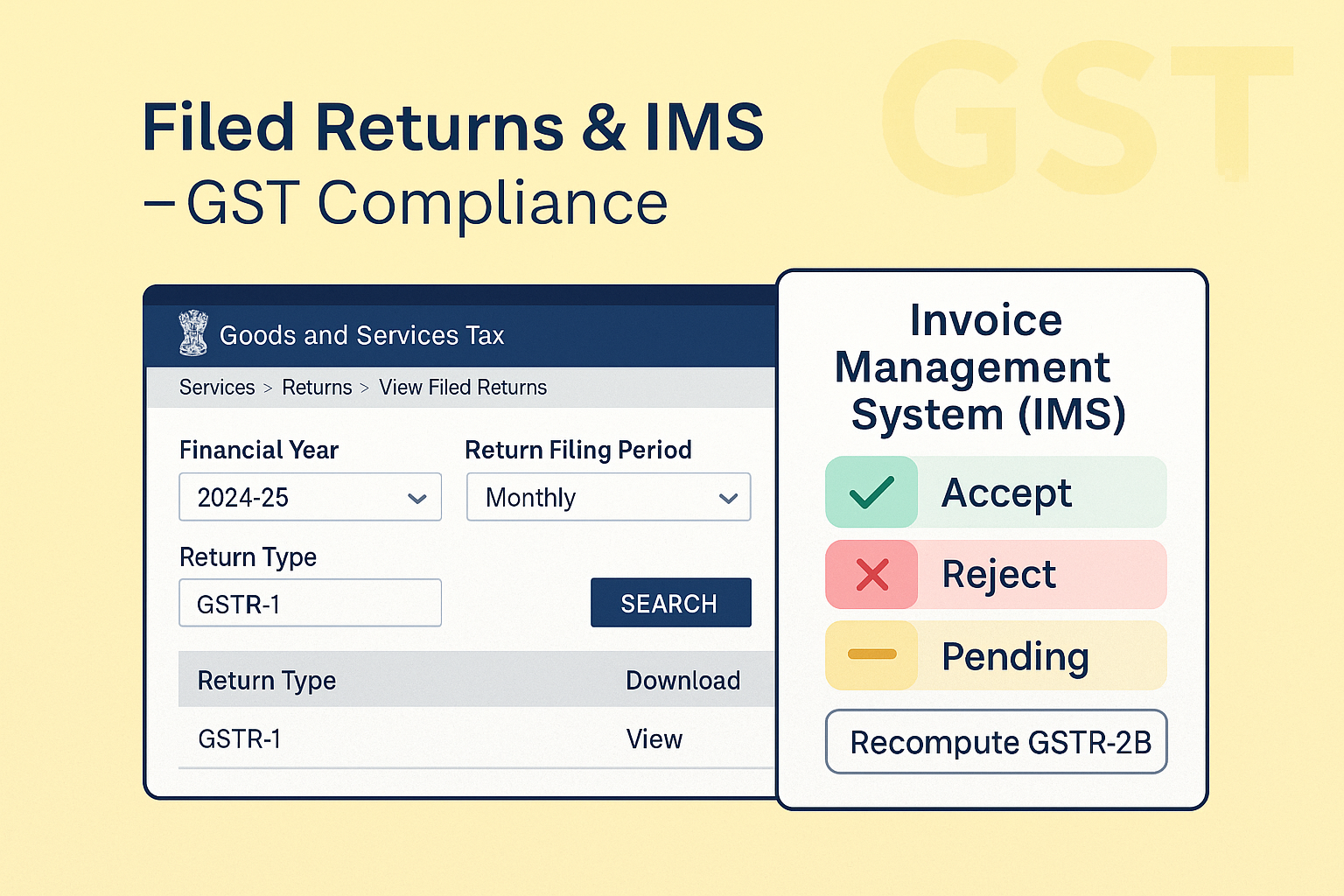
Step 2: Navigate: Services → Returns → View Filed Returns.
Step 3: Select:
-
Financial Year
-
Return Filing Period (monthly/quarterly)
-
Return Type (e.g., GSTR-1, 3B, CMP-08, GSTR-4 Annual, SRM-II etc.).
Step 4: Click Search → Table appears.
Step 5: Options: -
View – to see filed return.
-
Download Signed PDF – official copy with digital signature.
-
Excel Download – detailed summary (table-wise).
Step 6: For CMP-08 → Click Generate Signed PDF → Wait 5 min → Download.
2. Invoice Management System (IMS)
Step 1: Login → Services → Returns → Invoice Management System (IMS).
Step 2: IMS Dashboard shows:
-
Inward Supplies: View invoices uploaded by suppliers.
-
Outward Supplies: Track recipient actions on your uploaded invoices.
Step 3: Actions on Inward Supplies:
-
Accept → ITC available in GSTR-2B & auto-populates in GSTR-3B.
-
Reject → ITC not available; flagged in GSTR-2B.
-
Pending → Not part of GSTR-2B until acted upon.
-
No Action → Deemed accepted at GSTR-2B generation.
Step 4: Additional Features:
-
Download IMS data in Excel.
-
Search by GSTIN/Invoice No./Date.
-
Apply filters (Status, Source, Invoice Type).
-
Records >500 go to Advance Search page.
-
Recompute GSTR-2B after 14th each month if actions taken post generation.
C. FAQs (15 Practical Clarifications & Errors)
-
Can I view/download filed returns anytime?
Yes, under Services → Returns → View Filed Returns. -
Can I get digitally signed PDFs?
Yes, click Download Signed Form. -
What is IMS?
A dashboard to accept/reject supplier invoices for ITC validation. -
Who can use IMS?
Normal taxpayers, SEZ units, developers, and casual taxpayers. -
When did IMS start?
1 Oct 2024, actions allowed from 14 Oct 2024. -
What if I take no action on an invoice?
Deemed accepted at GSTR-2B generation. -
What if I reject a record?
ITC denied; supplier must amend in next GSTR-1/IFF. -
Can I amend my action later?
Yes, multiple actions possible until GSTR-3B filed. Latest action prevails. -
What about credit/debit notes?
Rejected/amended CN/DN handled separately with restrictions. -
Does IMS cover imports/RCM invoices?
No, they flow directly to GSTR-2B. -
What happens when supplier edits/deletes saved invoice?
IMS resets; recipient must act afresh. -
Can I download IMS data?
Yes, full Excel download facility available. -
Is re-computation of GSTR-2B mandatory?
Yes, if action taken post 14th of month. -
What happens after filing GSTR-3B?
Accepted/rejected records removed from IMS. Pending ones remain till Sec.16(4) time limit. -
What if system shows FILED – INVALID in View Returns?
Means liability unpaid/short paid; pay through Cash Ledger.
D. Fillable Checklist – View Filed Returns & IMS
| Particulars | Details / Action | ✔ |
|---|---|---|
| GSTIN | ||
| Financial Year | ||
| Return Type Selected? | Yes / No | |
| Period Selected? | Yes / No | |
| Filed Return Viewed? | Yes / No | |
| Signed PDF/Excel Downloaded? | Yes / No | |
| IMS Inward Invoices Checked? | Yes / No | |
| Invoices Accepted/Rejected/Pending? | Yes / No | |
| Outward Supplies Status Viewed? | Yes / No | |
| Recompute GSTR-2B (if required)? | Yes / No | |
| ARN Verified? | Yes / No |